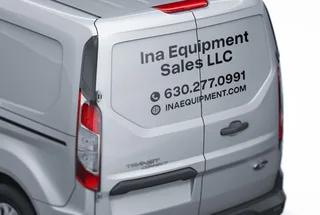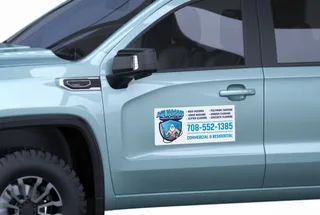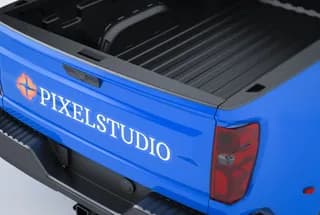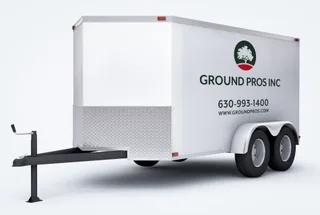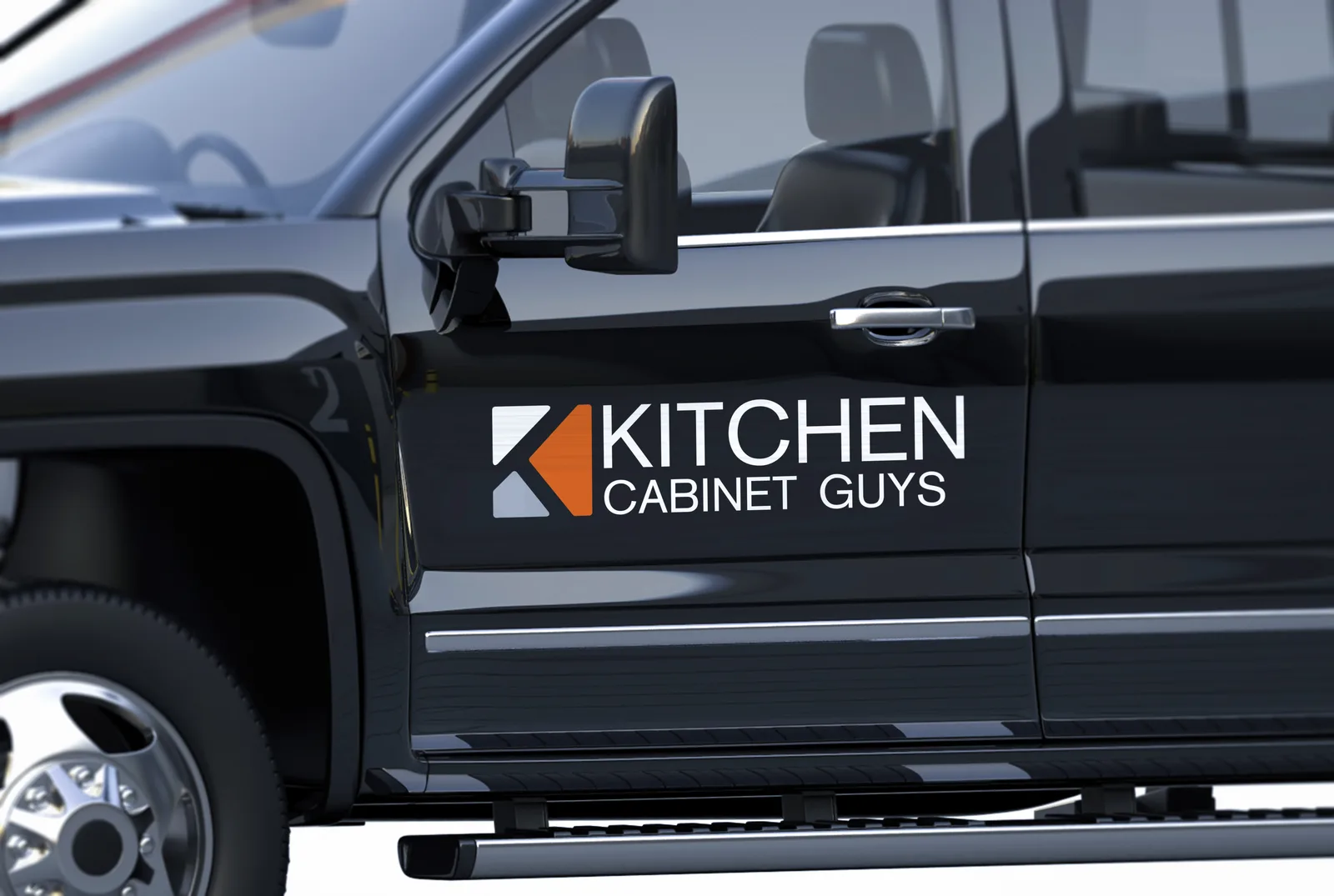
Why car decals?
- Logo, name and phone for doors and windows
- Full-color print, cut to any size or shape
- Contour die-cut that follows your artwork
- Save 47% per decal at 10+ pieces
Car Decals
Full-color custom decals for business and personal cars, vans and trailers — logo decals, company car decals and promotional graphics cut to your size or a standard shape on outdoor-rated vinyl.
Read moreFrom $29.25 for oneArtwork not ready?
Standard delivery $8.95 · free over $150 · 3 to 5 business days · Local pickup freeVolume pricing applies automatically. Options priced per run — cheaper per item on larger quantities.How it works
What you get
- Material
- Car Decal Vinyl — Full-colour print on cast vinyl
- Durability
- 5+ years outdoor
- Finish options
- Exact Die-Cut, Shape Die-Cut, Rounded Corners, Reflective, Transfer Tape
- Application
- Clean, dry surface. Peel, align, squeegee from the centre out. Removes later without residue — about 10 minutes per door.
- Proof
- Free, unlimited changes
- Turnaround
- 24h after proof approval
- Shipping
- Standard delivery $8.95 · free over $150 · 3 to 5 business days · Local pickup free
Description
What it is
Car decals are full-color graphics printed on cast vinyl and cut to whatever size or shape you order, then applied to a painted panel, a window, or the side of a toolbox. Unlike a magnet, a decal bonds to the surface and is meant to stay through wind, rain and repeated car washes for years, then come off cleanly when you are ready to change it. This is the product to use for a company logo on a door, a promotional graphic on a rear window, or a set of matching decals across a small fleet.
Every decal is printed from your artwork — upload a print-ready file, or build the design from scratch in the free online Design Studio if you do not have one yet.
Popular sizes and where they go
These are the standard panel sizes for Car Decals at a quantity of one; pricing drops quickly as quantity goes up.
| Size | Typically used for | Price |
|---|---|---|
| 24 x 12 in | a single door panel or a rear window band | from $29.25 |
| 24 x 18 in | a full door panel or a larger window graphic | from $39.00 |
| 36 x 24 in | a box truck side panel or a large storefront window | from $68.25 |
Need a size that is not on this list? Enter your own width and height at checkout or in the Design Studio — pricing scales with the area, and every custom size still gets a free proof before it prints.
Why it holds up
Car Decals print in full color on cast vinyl, the same class of film used for factory graphics packages, rated for 5+ years outdoors. Cast vinyl conforms to mild curves and door creases better than cheaper calendered vinyl, so it lies flat instead of lifting at the edges. When you are ready to remove it, it comes off without leaving a sticky residue or a faded outline behind, so a decal is a good choice even if you plan to sell the vehicle or change your branding later.
Uses by business type
- Service and trade businesses — a logo and phone number on both front doors turns every job site into a rolling ad.
- Delivery and courier fleets — matching decals across several vehicles keep a consistent look without repainting anything.
- Real estate and sales — a photo or headshot decal on a rear window for open houses and listings.
- Retail and mobile vendors — a large decal on a box truck or trailer side doubles as a billboard while it is parked.
- Personal and promotional use — a one-off design, event graphic, or gift that still needs to survive outdoor weather.
How to apply
Car Decals go on any clean, smooth, painted or glass surface. Give yourself 20 to 30 minutes and a helper for anything larger than about 18 inches wide.
- Wash the panel with soap and water, then wipe it with rubbing alcohol and let it dry completely — any wax, dust or grease under the vinyl will shorten how long it holds.
- Work in a shaded spot between about 60 and 90 degrees F. Direct sun makes the adhesive grab too fast; cold makes it grab too slowly.
- Peel back a corner of the backing paper and tack the decal in place to confirm the position before committing.
- Use a strip of painter's tape as a hinge at the top so the decal stays aligned while you peel away the rest of the backing paper.
- Squeegee from the center outward in overlapping passes to push air out toward the edges, not trap it in the middle.
- If the order includes transfer tape, squeegee firmly over it, then peel the transfer tape back slowly at a low angle, checking that every letter released onto the surface.
- Press down any edges or corners that did not fully bond, working from the center out.
- If a small air bubble remains, prick it with a pin and press it flat — do not try to squeegee a large bubble out through the edge.
- Give the adhesive time to cure — avoid washing the vehicle for at least 48 hours after installation.
Removal and care
Warm the film with a hair dryer or heat gun on a low setting, then peel it back slowly at a low angle rather than straight up — heat keeps the vinyl from tearing into small pieces. Any adhesive left behind comes off with an adhesive remover or rubbing alcohol, then a regular wash. Because it is rated for 5+ years outdoors, you can leave it on through winters and regular washing and remove it later without stripping paint, as long as the clear coat underneath is in normal condition.
How big should your lettering or artwork be?
If your decal includes a phone number, a tagline, or anything meant to be read from a distance — not just seen — size the text using a simple rule of thumb: about 1 inch of letter height for every 10 feet of intended reading distance, for maximum impact. This is a general guideline, not a guarantee; actual legibility also depends on color contrast against the background and how bold the font is.
| Letter height | Rule-of-thumb readable distance |
|---|---|
| 2 in | about 20 ft |
| 3 in | about 30 ft |
| 4 in | about 40 ft |
| 6 in | about 60 ft |
A decal parked at a curb only needs to read from the sidewalk; one on a moving delivery van benefits from the larger end of this range.
Finish options
Design Guidelines
Reviews
FAQ
How much do car decals cost?
Car Decals start from $29.25 for a 24 x 12 in panel at a quantity of one. Per-decal price drops fast with quantity — 10 decals at that size run $15.62 each ($156.20 total), and 25 run $12.76 each ($319.00 total).
What sizes can I order?
The standard presets are 24 x 12 in, 24 x 18 in and 36 x 24 in, or enter a custom width and height in the Design Studio or at checkout — price scales with the area you choose.
What is a decal made of, and how long does it last outdoors?
Car Decals print in full color on cast vinyl film rated for 5+ years outdoors, so it holds its color through sun and weather rather than fading or peeling within a season.
Can I get an exact die-cut around my logo, or a simple shape?
Yes. Exact Die-Cut follows your artwork's outline exactly, and Shape Die-Cut cuts to a circle, oval, hexagon or rounded square if you want a clean geometric edge instead of a rectangle.
How do I install a car decal myself?
Clean the surface, tack the decal in position, then squeegee it on from the center outward; the full steps are above under How to apply. Most single decals take 10 to 15 minutes.
Will removing a decal damage my paint?
No, as long as the clear coat is in normal condition. Warm the decal to soften the adhesive, then peel it back slowly at a low angle; it releases without sticky residue.
Can I run my vehicle through a car wash after installing a decal?
Wait at least 48 hours to let the adhesive fully cure, then normal soft-cloth or hand washing is fine. Very high-pressure or brush washes can catch a lifted edge, so keep an eye on the corners for the first few washes.
I do not have a print-ready file — can you still make my decal?
Yes. Build your design from scratch in the free online Design Studio, or place your order now and send finished artwork afterward; vector files (PDF, AI, EPS) are preferred but PNG, JPG and TIF are accepted.
Do I get to see what it will look like before it prints?
Every order includes a free digital proof, and you can request unlimited free changes to it. Nothing goes to print until you approve that proof, and your card is only authorized, not charged, until then.
How long does production and shipping take?
Standard orders go to production 24 hours after you approve the proof. Shipping is $8.95 for 3 to 5 business days, free on orders over $150, with expedited options shown at checkout and free local pickup in Itasca, IL.
What if my decal arrives wrong or defective?
If we made the mistake or the material has a manufacturing defect, the reprint is free. Report it with photos within 7 days of delivery so we can fix it quickly.
Do decals work on textured surfaces like a toolbox or a diamond-plate panel?
Cast vinyl conforms better than cheaper film, but it still needs a smooth, clean surface to bond fully — heavy texture, rivets or seams under the decal area can keep edges from sealing down.
Real humans, print experts. We answer within one business hour on weekdays.
+1 866 549 4088info@nexoraprint.comContact UsMon–Fri, 8am–6pm CT