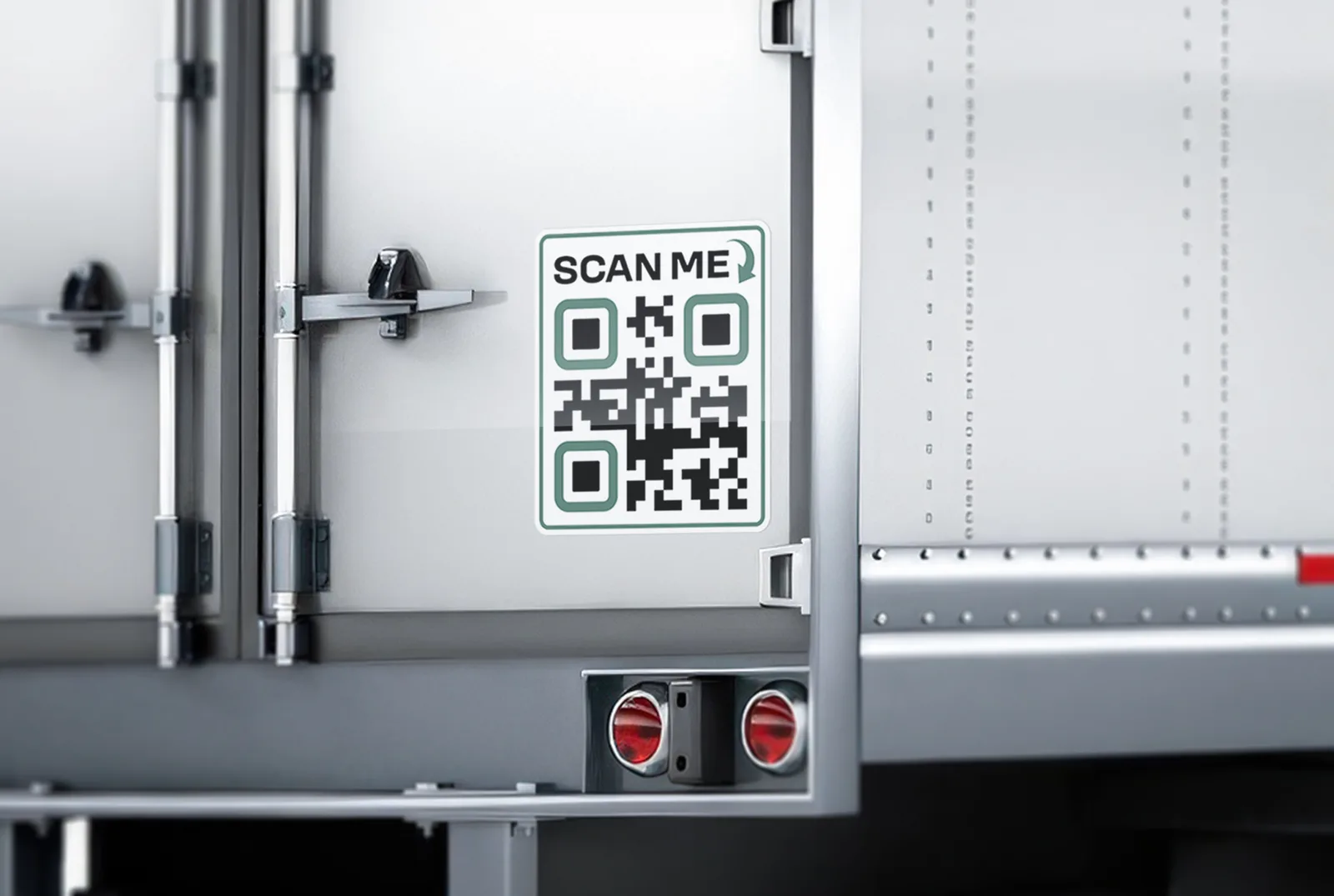
Why qr code stickers?
- Code generated from the link you send
- Scan-tested on the proof before printing
- Presets from 3 to 18 in, custom up to 48 in
- Laminated for outdoor and warehouse use
Artwork not ready?
Standard delivery $8.95 · free over $150 · 3 to 5 business days · Local pickup freeVolume pricing applies automatically. Options priced per run — cheaper per item on larger quantities.How it works
What you get
- Material
- Car Vinyl — Full-colour print on cast vinyl
- Durability
- 5+ years outdoor
- Finish options
- Shape Die-Cut, Rounded Corners, Reflective
- Application
- Clean, dry surface. Peel, align, squeegee from the centre out. Removes later without residue — about 10 minutes per door.
- Proof
- Free, unlimited changes
- Turnaround
- 24h after proof approval
- Shipping
- Standard delivery $8.95 · free over $150 · 3 to 5 business days · Local pickup free
Description
What it is
QR Code Stickers turn a web address into a label a phone can scan. You send the link, we generate the code and print it in full color on cast vinyl, laminated for outdoor and warehouse use. Fleets and yards put a QR code sticker on a truck, a trailer or a piece of equipment so a driver or technician can reach a page with one scan: an application form, an inspection checklist, a service log, a manual or a contact page. The price is per sticker.
What to link to
Keep the link short — a shorter web address makes a simpler code, and a simpler code scans more easily at small sizes. A printed code cannot be edited, so if the destination might change, link to a page on your own site that you can update rather than straight to a document. Leave a clear light margin around the code and keep dark modules on a light background; low-contrast colors and busy artwork behind the code make scanning harder.
Sizes and pricing
Presets run from 3 × 3 inches up to 18 × 18 inches, and you can enter a custom size from 1 to 48 inches per side. Choose a size people can scan comfortably from where they stand, and scan the proof on your own phone. The price is per sticker, so order one for every surface you mark, and see the live price on this page for the size you pick.
Preset sizes
| Preset | Notes |
|---|---|
| 3 × 3 in | the smallest preset |
| 4 × 4 in | a step up from the smallest |
| 5 × 5 in | the largest of the small square presets |
| 18 × 18 in | the largest preset |
Why it holds up
Printed in full color on cast vinyl and laminated, the code is protected for outdoor and warehouse use. Rounded Corners keep the edge from lifting, a Shape Die-Cut option cuts the sticker to a circle, oval, hexagon or rounded square, and Reflective film is available. Mount the code where it can be wiped clean — a code under road dirt is harder to scan.
Who this is for
- Trucking fleets — a code on the cab or trailer that opens a driver form, an inspection checklist or a contact page.
- Equipment and yard operators — a scannable label on equipment that links to its service log or manual.
- Warehouses — labels for racks, bins and assets.
- Recruiters — a code that opens your application, on its own or on a Now Hiring Trailer Door Sticker.
How to order and proof
Send the link when you order, or build the label in the Design Studio, where a QR code is one of the tools. You can also upload your own artwork as PDF, AI, EPS, PNG, JPG or TIF. Every order includes a free digital proof with unlimited free changes, and the code is scan-tested on the proof before anything prints — scan it yourself with your phone as well.
How to apply
Choose a flat, smooth spot, away from seams and edges, where the code will be easy to point a phone at.
- Wash the surface with soap and water, then wipe it with rubbing alcohol and let it dry completely — any wax, dust or grease under the vinyl will shorten how long it holds.
- Work in a shaded spot between about 60 and 90 degrees F. Direct sun makes the adhesive grab too fast; cold makes it grab too slowly.
- Peel back a corner of the backing paper and tack the decal in place to confirm the position before committing.
- Use a strip of painter's tape as a hinge at the top so the decal stays aligned while you peel away the rest of the backing paper.
- Squeegee from the center outward in overlapping passes to push air out toward the edges, not trap it in the middle.
- Press down any edges or corners that did not fully bond, working from the center out.
- If a small air bubble remains, prick it with a pin and press it flat — do not try to squeegee a large bubble out through the edge.
- Give the adhesive time to cure — avoid washing for at least 48 hours after installation.
Removal and care
Warm the film with a hair dryer or heat gun on a low setting, then peel it back slowly at a low angle rather than straight up — heat keeps the vinyl from tearing into small pieces. Any adhesive left behind comes off with an adhesive remover or rubbing alcohol, then a regular wash. Wipe the laminate with a soft cloth and plain water; if the code ever stops scanning, check the link first and then order a new sticker.
- Code generated from the link you send
- Scan-tested on the proof before printing
- Keep it at 1.5″ or larger for reliable phone scans
- Laminated for outdoor and warehouse use
Finish options
Design Guidelines
Reviews
FAQ
What is a QR code sticker for a truck?
It is a printed label that opens a web page when a phone scans it — an application form, an inspection checklist, a service log or a contact page — so people can reach the page without typing an address.
Do you generate the QR code for me?
Yes. Send the link and the code is generated from it; you can also add a code in the Design Studio. The proof shows exactly what will be printed.
How big does the code need to be?
Choose a size people can scan comfortably from where they stand, and scan the proof on your own phone before you approve it. The presets run from 3 × 3 to 18 × 18 inches, and you can enter a custom size.
What should I link to?
A page that opens cleanly on a phone, with a short address. A shorter address makes a simpler code that scans more easily at small sizes.
Can I change the link after the sticker is printed?
No — a printed code cannot be edited. If the destination might change, link to a page on your own site that you can update, rather than directly to a file.
Is the code scan-tested?
Yes, it is scan-tested on the proof before printing. Scan the proof with your own phone as well before you approve the order.
Can I change the colors or put a logo in the middle?
Dark code on a light background scans best, so keep the contrast high. A logo in the middle or a color change can make a code harder to scan — if you add either, scan the proof on your phone before you approve it.
Is it laminated for outdoor use?
Yes. The sticker is printed in full color on cast vinyl and laminated for outdoor and warehouse use. Mount it where it can be wiped clean, since road dirt makes any code harder to scan.
What sizes and shapes are available?
Presets of 3 × 3, 4 × 4, 5 × 5 and 18 × 18 inches, or a custom size from 1 to 48 inches per side. Shape Die-Cut cuts it to a circle, oval, hexagon or rounded square, and Rounded Corners keep the edge from lifting.
Can I upload my own design?
Yes. Upload a PDF, AI, EPS, PNG, JPG or TIF file, or build the label in the Design Studio.
How do I install it?
Clean the surface, tack the sticker in place, then squeegee from the center outward — the full steps are above. Wait about 48 hours before washing.
Will removal damage the paint?
No, as long as the paint underneath is in normal condition — warm the film with a hair dryer and peel at a low angle for a clean release.
Real humans, print experts. We answer within one business hour on weekdays.
+1 866 549 4088info@nexoraprint.comContact UsMon–Fri, 8am–6pm CT